Free Website Audit Tools: A Comprehensive Review of Top Site Analyzers
A free website audit guide: the top free site audit tools to find hidden issues hurting your traffic, SEO, usability, and user trust.
Your website can look polished on the surface and still hide problems that quietly hurt traffic, conversions, and user trust. Slow pages, broken links, weak metadata, mobile usability issues, accessibility gaps, and technical SEO errors often go unnoticed until rankings slip or leads dry up. That is why website analysis tools have become essential for marketers, business owners, developers, and content teams alike. The good news is that you do not need an enterprise budget to start diagnosing what is wrong. A growing range of free platforms can scan your site, surface actionable issues, and help you prioritize fixes that matter.
This guide reviews the most useful free options, explains what each one does well, and shows how to combine them into a practical workflow. Instead of treating every tool as a complete solution, it is more helpful to think of them as specialists. One may be best for page speed, another for technical crawling, another for search visibility, and another for real-world user experience. Used together, they can produce a much clearer picture of site health than any single dashboard alone.
Want to skip the tool comparison and audit your website right now? Run the free Emarketed website audit: SEO checks, Core Web Vitals, and technical issues for any URL in about a minute, no signup. Then use the reviews below to go deeper on whatever it flags.
What a website analysis tool should actually help you find
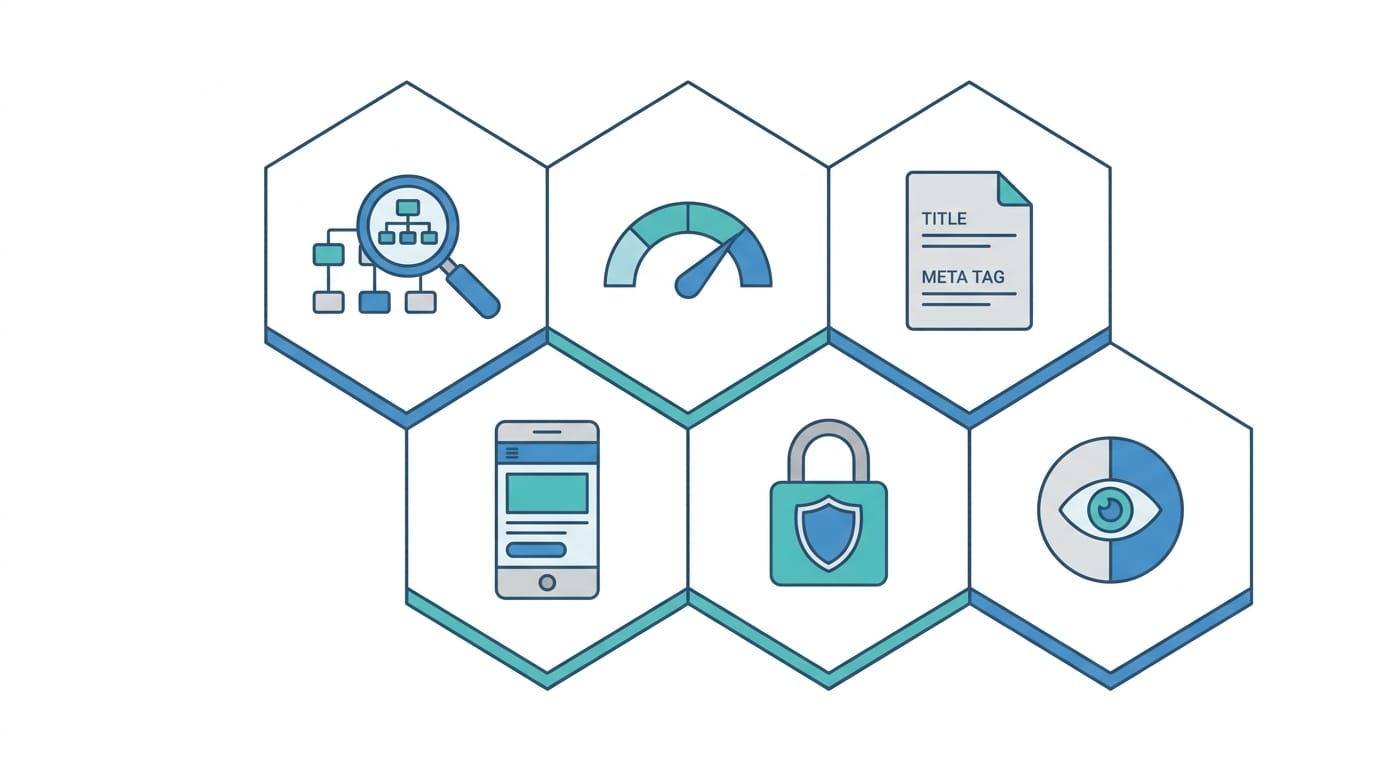
Before comparing platforms, it helps to define what “analysis” means. A strong audit tool should do more than assign a score. It should reveal why a page is underperforming and point to realistic next steps. For a deeper look at the criteria that separate a strong tool from a noisy one, see our guide on what actually matters when you audit a site. In most cases, a useful scan should cover several categories:
- Technical SEO: crawlability, indexability, redirects, canonical tags, status codes, XML sitemaps, and robots directives
- Performance: page speed, render-blocking resources, image weight, JavaScript execution, and Core Web Vitals signals
- On-page SEO: title tags, meta descriptions, header structure, internal linking, and duplicate content signals
- Mobile usability: responsive behavior, viewport setup, font sizing, and tap target spacing
- Security and trust: HTTPS implementation, mixed content, and basic security headers
- Accessibility and UX: contrast issues, missing alt text, form labeling, and navigation clarity
If you are evaluating free website analysis tools, the key question is not whether they can find every issue. It is whether they can help you identify the most important problems quickly enough to act on them. If you want to start right now, our own free website analysis tool scans any URL for performance, SEO, and accessibility in about 30 seconds and ranks the fixes by impact.
Why free tools are useful, even with limitations
Free tools are often dismissed as lightweight, but that is only partly true. Many are built by companies with premium products, so their no-cost versions still deliver meaningful insights. They are especially valuable for small businesses, consultants, in-house marketers, and startups that need a fast baseline before investing in a larger SEO stack.
That said, free tools usually come with tradeoffs. Some limit the number of URLs crawled. Others focus on a single page rather than a whole domain. Some surface issues without giving much historical context. A few are designed more as lead generators than full diagnostics. The best way to use them is to match each tool to its strength rather than expecting a single scanner to replace a full technical audit.
Emarketed Website Audit Tool
For users who want a straightforward starting point, Emarketed’s free audit website tool is designed to give a broad snapshot without forcing a complicated setup. It is useful for business owners and marketers who need fast visibility into SEO and performance concerns, especially when they are trying to understand where a site may be losing momentum.
One of the practical benefits of a tool like this is accessibility. You can run a scan without building a complex workflow first, which makes it easier to spot obvious technical and optimization issues early. For teams that need a shareable website analysis report, this kind of quick audit can also help frame discussions with developers, content teams, or stakeholders who want a high-level picture before digging into details.
Best for:
- Quick SEO and performance snapshots
- Small business site reviews
- Early-stage audits before deeper analysis
Watch for:
- Like most broad free tools, it works best as a first pass rather than the only source of truth
- You may still want specialized tools for crawling, search data, and speed diagnostics
Google Search Console
Google Search Console remains one of the most valuable free resources available because it shows how Google sees your site in search. Unlike third-party estimations, this data comes directly from Google’s systems. You can review indexing issues, page experience signals, search queries, click-through rates, and coverage problems that may prevent important pages from appearing in results.
Its strongest advantage is diagnostic clarity around search presence. If a page is not indexed, if a sitemap has errors, or if mobile usability issues affect visibility, Search Console often surfaces the problem first. The performance report is also useful for identifying pages that rank but underperform in clicks, which can signal weak titles, mismatched intent, or poor snippets.
Best for:
- Indexing and coverage analysis
- Query and click performance
- Understanding search visibility at the page level
Watch for:
- It does not replace a crawler
- It focuses on Google search data, not full-site UX or conversion performance
Google PageSpeed Insights
Google PageSpeed Insights is one of the best free tools for evaluating speed and user experience. It combines lab data with field data when available, helping you understand both simulated performance and real-world visitor experience. For site owners focused on Core Web Vitals, it is often the first tool they check.
Its reports can be technical, but they are extremely useful. You can see whether large images, unused CSS, JavaScript execution, server response times, or layout shifts are creating friction. This matters because performance affects not only rankings but also bounce rates and conversions. A page that loads slowly on mobile can undermine even strong content and good keyword targeting.
Best for:
- Core Web Vitals analysis
- Mobile and desktop performance testing
- Identifying front-end bottlenecks
Watch for:
- Recommendations may require developer input
- One-page testing does not reveal sitewide technical patterns by itself
Lighthouse
Lighthouse, built into Chrome DevTools, is a flexible audit tool for performance, accessibility, best practices, and SEO. Because it runs locally in the browser, it is convenient for developers and advanced marketers who want to test pages while making changes.
Lighthouse is particularly useful during optimization work because it lets you re-run audits quickly after edits. If you compress images, defer scripts, or adjust layout behavior, you can immediately see how scores shift. The accessibility checks are also a major plus, especially for teams trying to improve usability while strengthening compliance and inclusivity.
Best for:
- Developer-friendly page testing
- Accessibility and best-practice checks
- Iterative optimization during site updates
Watch for:
- Scores can vary depending on environment and conditions
- It is page-specific rather than a full crawling solution
Screaming Frog SEO Spider free version
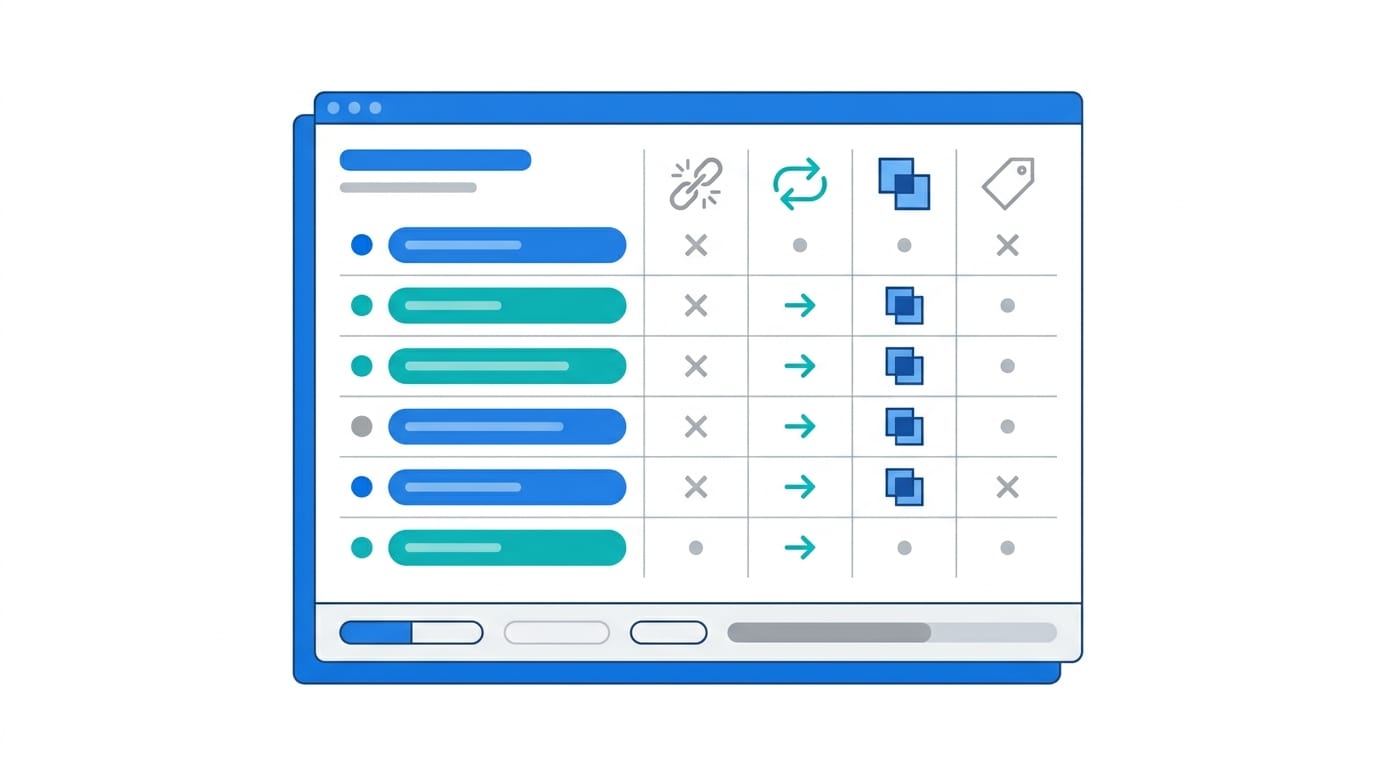
Screaming Frog SEO Spider is one of the most respected technical SEO crawlers available. The free version has crawl limits, but it is still powerful enough for many small websites and spot checks. It can identify broken links, redirect chains, duplicate metadata, missing tags, oversized pages, canonical issues, and much more.
This is the tool many SEO professionals use when they want to inspect a site structurally rather than rely on a simple score. It shows patterns across many URLs at once, which is critical because technical issues rarely affect one page alone. If your site has hundreds of pages with duplicate titles or orphaned content, Screaming Frog makes that visible quickly.
Best for:
- Technical SEO crawling
- Finding duplicate and missing metadata
- Broken links and redirect analysis
Watch for:
- The interface can feel intimidating to beginners
- Some advanced features require the paid version
Ahrefs Webmaster Tools
Ahrefs Webmaster Tools gives site owners free access to useful backlink and technical SEO data for verified sites. While it is not the full Ahrefs platform, it still offers meaningful value, especially for understanding link profiles and identifying issues through its Site Audit feature.
Backlinks remain a major part of search visibility, and this is where Ahrefs stands out compared with many free scanners. If your site has lost links, gained questionable ones, or lacks authority compared with competitors, this tool can help you spot the pattern. Its audit features also add another layer of technical insight that complements Google’s own data.
Best for:
- Backlink visibility for verified sites
- Technical issue monitoring
- Combining authority signals with audit findings
Watch for:
- Some competitive research features remain behind the paid platform
- Best used alongside Search Console and a crawler
SEMrush Site Audit free access options
SEMrush Site Audit is a polished auditing environment with strong issue categorization and reporting. Depending on account access and plan limits, users can often test enough functionality to get value from it, especially for prioritized issue tracking and visual reporting.
What SEMrush does well is organization. It tends to classify problems clearly and present them in a way that is easy to explain to clients or internal teams. If you need a dashboard that helps turn technical findings into action items, it can be easier to work with than more raw crawlers.
Best for:
- Readable issue prioritization
- Team-friendly reporting
- Ongoing audit workflows
Watch for:
- Free access is limited compared with the full suite
- Not every user will get enough crawl depth for larger sites
GTmetrix
GTmetrix is another strong option for page speed analysis. It is especially helpful when you want a second opinion beyond PageSpeed Insights or need more visual detail, such as waterfall charts that show how page assets load over time.
This can be useful for diagnosing bottlenecks that generic speed scores do not explain well. For example, if a third-party script delays rendering or a specific image format is bloating load time, GTmetrix often makes the sequence easier to interpret. For site owners working with developers, that visual breakdown can speed up troubleshooting.
Best for:
- Waterfall-based performance debugging
- Cross-checking speed recommendations
- Visualizing load behavior
Watch for:
- It focuses on speed rather than broader SEO health
- Some advanced testing options are account-dependent
W3C Validator and accessibility checkers
W3C Validator and tools such as WAVE add another layer many audits miss. Clean code and accessible design are not just technical ideals; they affect usability, trust, and in some cases search performance indirectly through better user experience.
These tools can catch markup errors, missing labels, contrast problems, and structural issues that may frustrate users or assistive technologies. They are not replacements for human accessibility review, but they are valuable screening tools, especially during redesigns or template updates.
Best for:
- Markup validation
- Basic accessibility screening
- Improving site quality beyond SEO alone
Watch for:
- Not every flagged issue is equally important
- Accessibility still requires manual review and user-centered testing
How to choose the right free tool for your goal
The best tool depends on the problem you are trying to solve. If your traffic is falling, start with Search Console to check indexing and query performance. If users complain the site feels slow, begin with PageSpeed Insights or GTmetrix. If you suspect broad technical issues across many pages, use Screaming Frog. If you need a quick all-purpose snapshot, a free online website analyzer can help establish a baseline before you move into specialist tools.
A practical way to think about selection is by role:
- Business owners: broad audit tools, Search Console, PageSpeed Insights
- Marketers: Search Console, Ahrefs Webmaster Tools, SEMrush access, broad audit tools
- Developers: Lighthouse, GTmetrix, W3C Validator, Screaming Frog
- SEO specialists: Search Console, Screaming Frog, Ahrefs Webmaster Tools, PageSpeed Insights
How to Audit Websites: A Simple Free Workflow
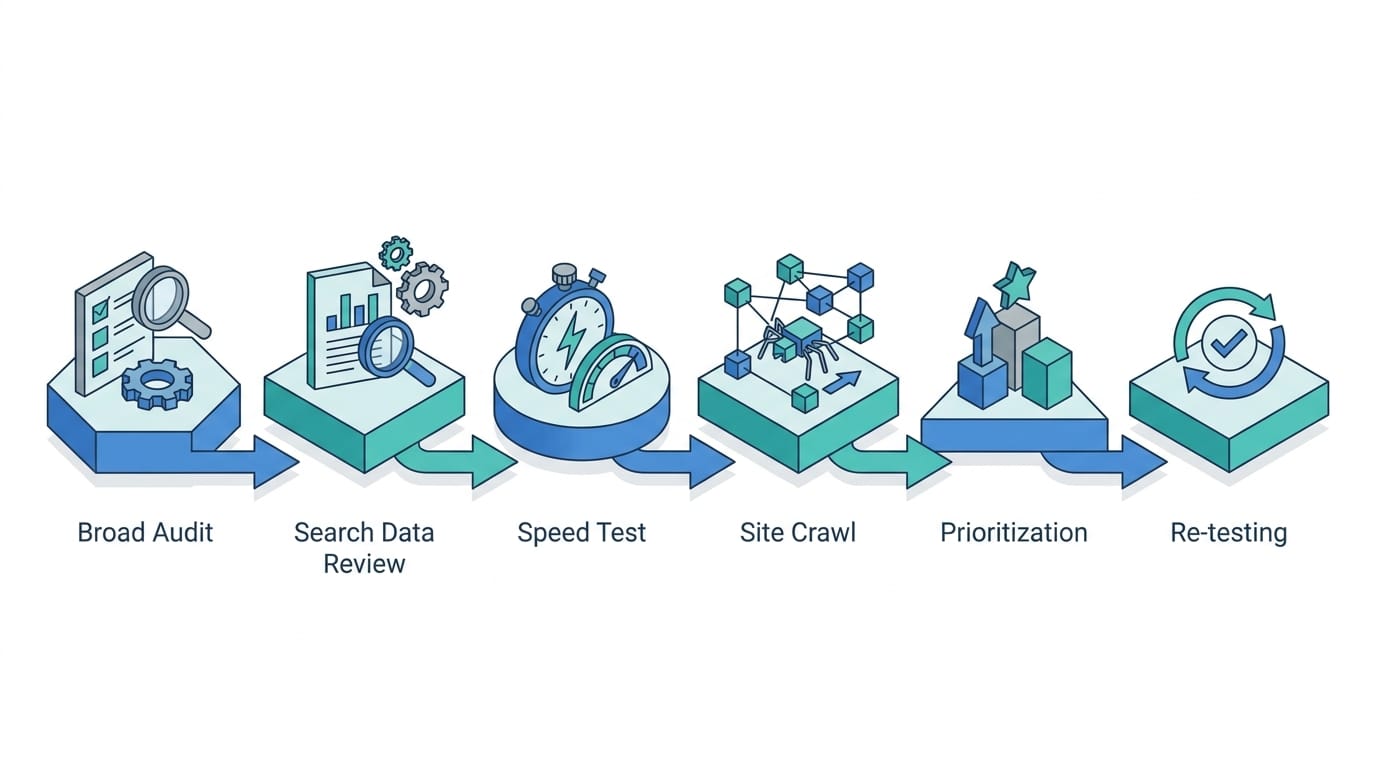
To audit a website for free, run one broad scan to surface the obvious SEO and speed problems, confirm how Google sees the site in Search Console, test speed on the pages that matter, crawl for repeated technical issues, and fix in order of impact. Many people run a scan, glance at the score, and stop there. That is where audits lose value. The more useful approach is to combine tools in a repeatable process:
- Start broad: run a general audit (the Emarketed website audit tool covers SEO, Core Web Vitals, and technical basics in one pass) to identify obvious SEO and performance concerns.
- Check Google’s view: verify indexing, coverage, and search performance in Search Console.
- Test speed: analyze key pages in PageSpeed Insights and GTmetrix.
- Crawl the site: use Screaming Frog to uncover repeated technical issues.
- Prioritize fixes: focus first on issues affecting crawlability, indexation, speed, and high-value pages.
- Re-test after changes: measure improvements rather than assuming fixes worked.
This process turns scattered diagnostics into a decision-making system. It also helps prevent a common mistake: spending hours fixing minor warnings while serious indexing or speed problems remain unresolved.
What free tools cannot tell you on their own
Even the best free audits have blind spots. They may not fully explain search intent mismatch, weak messaging, poor offer structure, thin content quality, or conversion friction. A technically healthy website can still underperform if the content does not answer user needs or if the design does not guide visitors toward action.
That is why audit data should be paired with analytics, user behavior insights, and business context. If a page has strong technical scores but low conversions, the issue may be copy, trust signals, pricing clarity, or call-to-action placement. Tools can reveal symptoms, but people still have to interpret the causes.
Getting from diagnosis to improvement
The best free website analysis tools do not just expose flaws; they create momentum. They help you move from guesswork to evidence, from vague concerns to specific fixes, and from scattered opinions to a clearer optimization roadmap. Whether you are managing a small business website or supporting a larger digital program, the smartest approach is to use free tools as a layered toolkit rather than a one-click answer.
Start with the platform that matches your immediate need, compare findings across two or three trusted sources, and focus on the issues most likely to affect visibility and user experience. A faster site, cleaner technical structure, and more search-friendly pages rarely come from one perfect scan. They come from consistent review, smart prioritization, and acting on what the data keeps showing you.